I Moved My Side Projects from AWS to Cloudflare
Why an AUD$25 monthly AWS bill for a blog with no revenue pushed me to Cloudflare Pages and Cloudflare Tunnel, and what the switch actually costs.
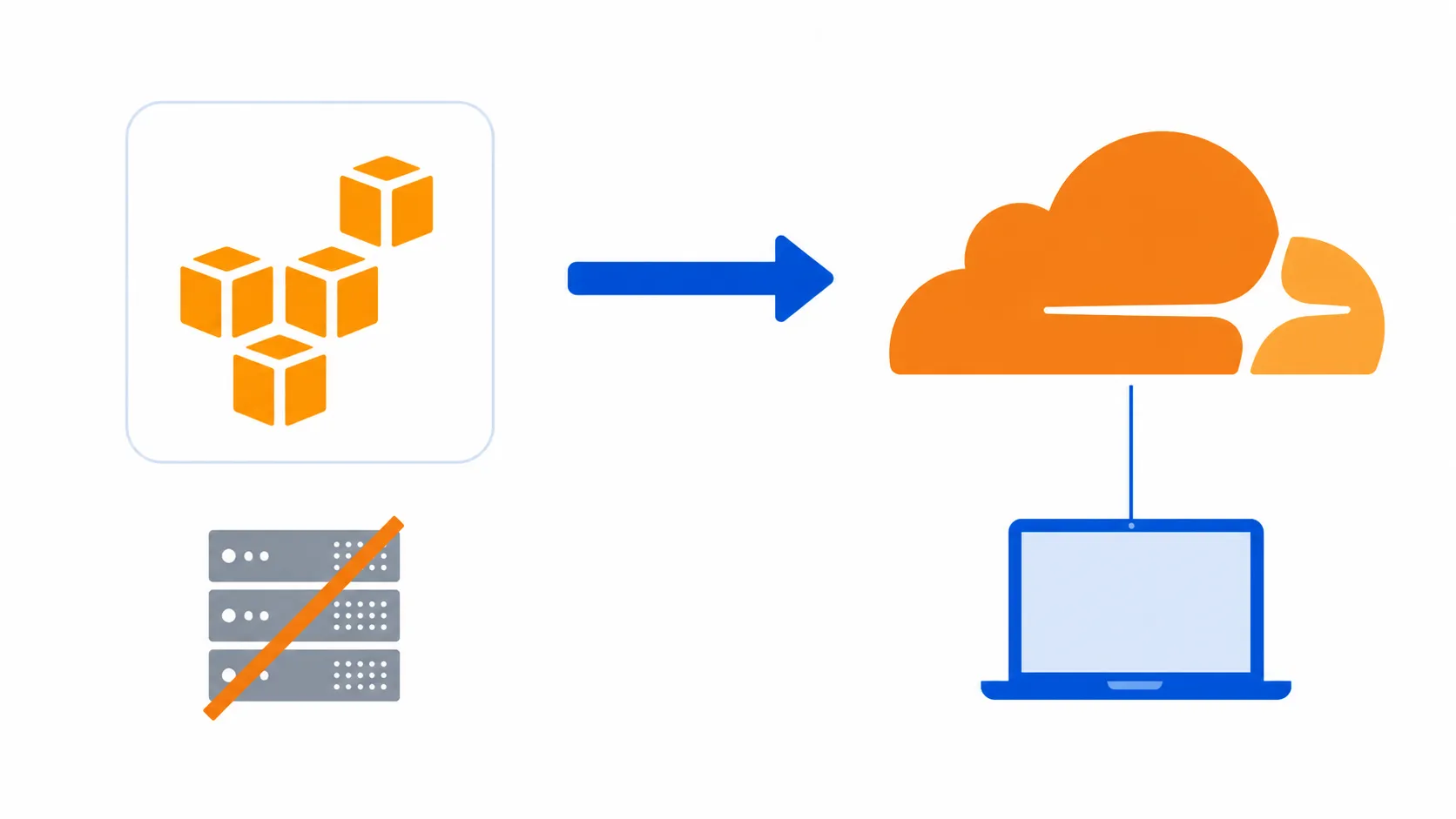
I was paying about AUD$25 a month on AWS to serve eight markdown articles that earned nothing. Moving from AWS to Cloudflare dropped that bill to $0, and a tunnel now puts the rest of my side projects online from a machine on my desk for the same price.
The bill for a blog nobody paid for
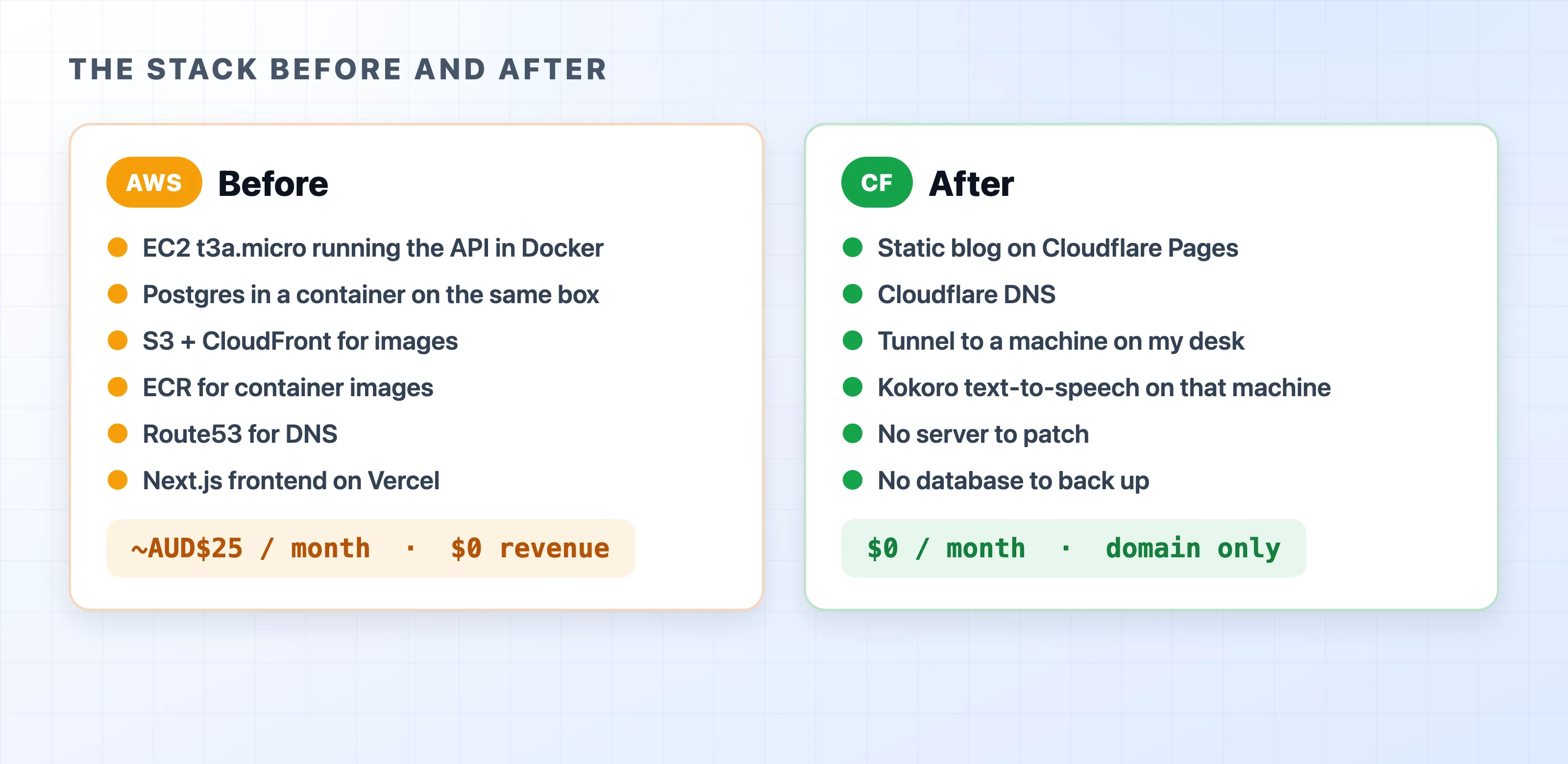
The old setup was a real platform. It ran a Fastify API in Docker on an EC2 t3a.micro. Postgres lived in a container on that same box. S3 and CloudFront handled images. ECR stored the container images. Route53 managed DNS. A Next.js frontend on Vercel sat in front of it all.
It worked. It also cost about AUD$25 every month just to publish text, and the project made no money.
Nothing on that list was a mistake. Each piece is the right answer to a problem a company has. The issue is how the billing works. AWS mostly charges for a resource being alive, rather than for it being used. An EC2 instance bills by the hour even if no one visits. An EBS volume bills for the storage space you provisioned, even if it sits empty. An unattached Elastic IP still costs money. A NAT gateway costs around US$32 a month before it moves a single byte.
Traffic never entered the calculation. My traffic was close to zero. The bill did not care.
The text-to-speech box that broke the math
Then I wanted to add spoken example sentences to HiEnglishQuiz.
Kokoro is a small open-source text-to-speech model with about 82 million parameters. It sounds good, runs cheaply, and does not need a data centre. But it does need a machine that is always on. Loading the model takes much longer than generating a sentence.
On AWS, you rent that machine by the hour. The cheapest GPU instance in the g4dn family costs around US$0.53 an hour on demand. That is roughly US$380 a month if you leave it running. Even for CPU only, a mid-size instance sits near US$0.35 an hour, or about US$250 a month. Prices vary by region, but the rule stays the same. The meter runs while the box is idle, and a hobby project is idle almost all the time.
Serverless does not fix this. Cold starts have to load the model all over again. Paying per invocation for a model that needs to stay warm is just the same trap with a different label.
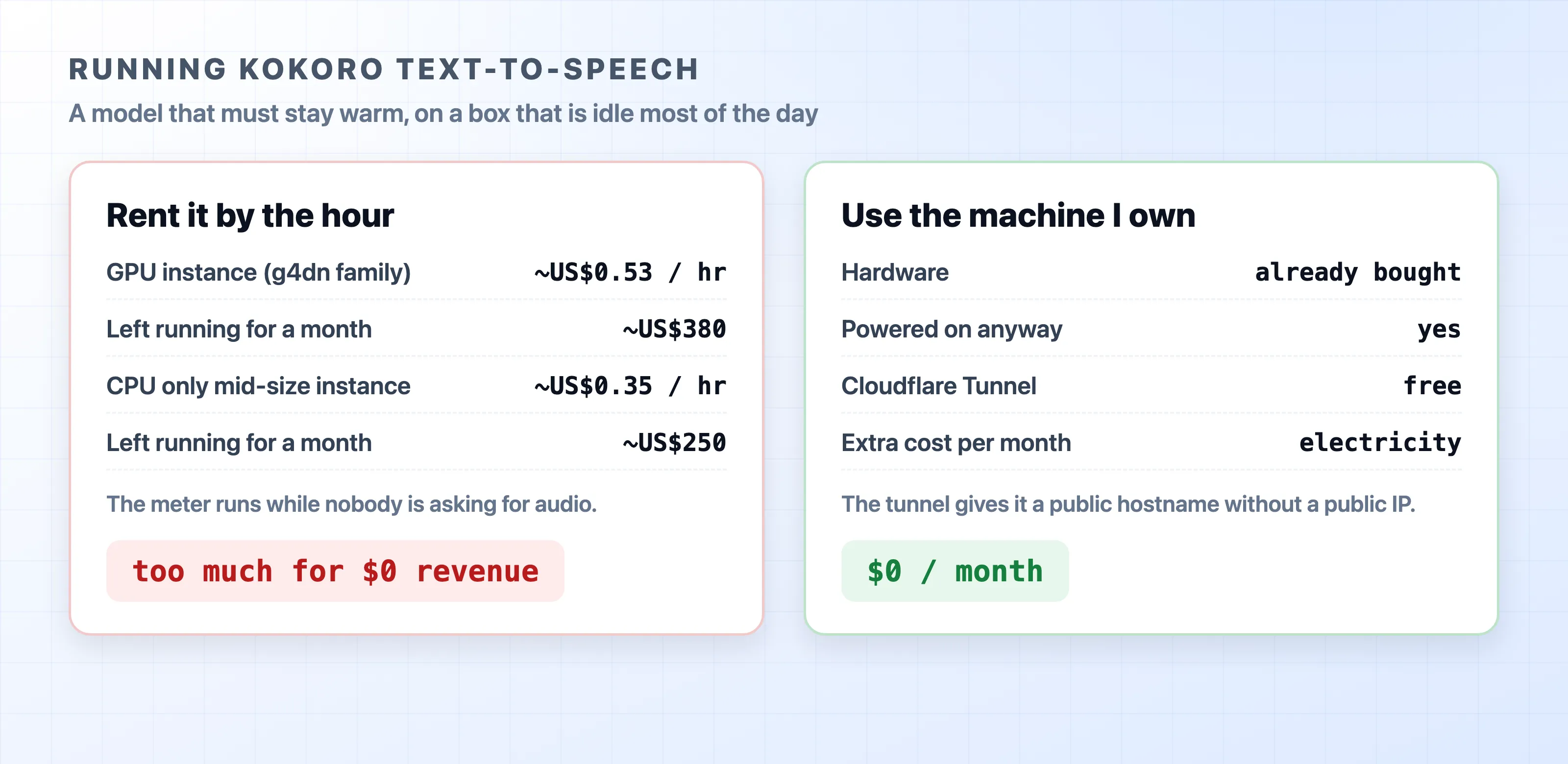
Meanwhile, I have a machine sitting on my desk. It is already bought, already on, and doing nothing most of the day. The only thing it could not do was answer a request from the internet.
What Cloudflare charges for instead
Two products replaced the whole stack.
Cloudflare Pages serves the blog. The site is pre-rendered into static files and copied to Cloudflare’s edge. The free plan covers unlimited requests and bandwidth, plus 500 builds a month. Serving a cached file costs Cloudflare almost nothing, so they do not bill for it. Pages also gives every branch a preview URL. Rolling back just means redeploying an earlier build.
Cloudflare Tunnel handles everything that needs a real process. It is free with a Cloudflare account.
The difference is the unit being priced. AWS sells capacity and charges rent. Cloudflare’s free tier is based on request volume, and a side project will never hit the ceiling. My blog serves a few thousand requests a month against a limit that does not exist.
How a tunnel puts localhost on the internet
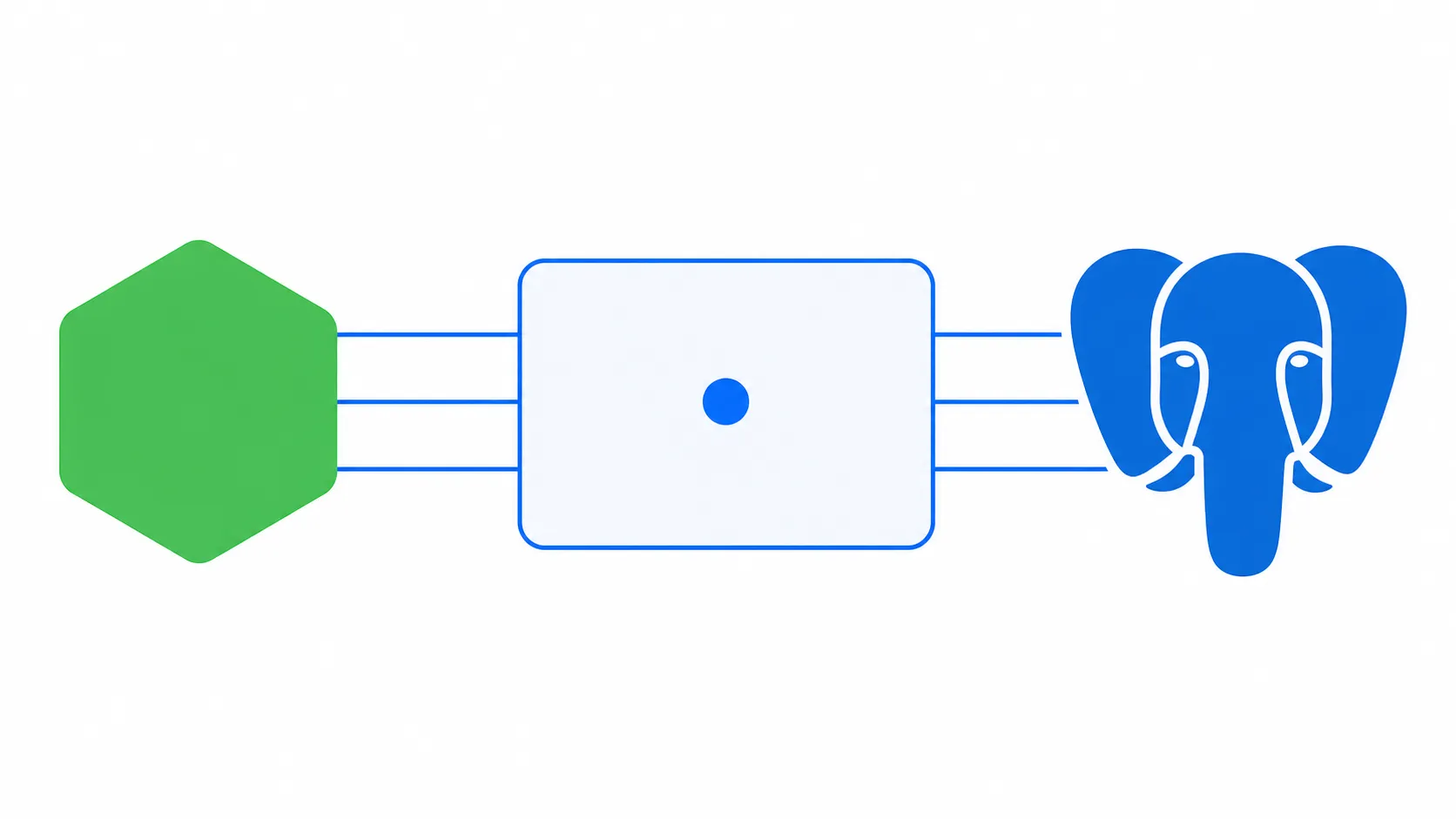
A Cloudflare Tunnel is a small daemon called cloudflared that runs next to your service. It opens a connection outward to Cloudflare’s edge and holds it open. A request to your hostname lands on Cloudflare, travels back down that open connection, and reaches your service on localhost.
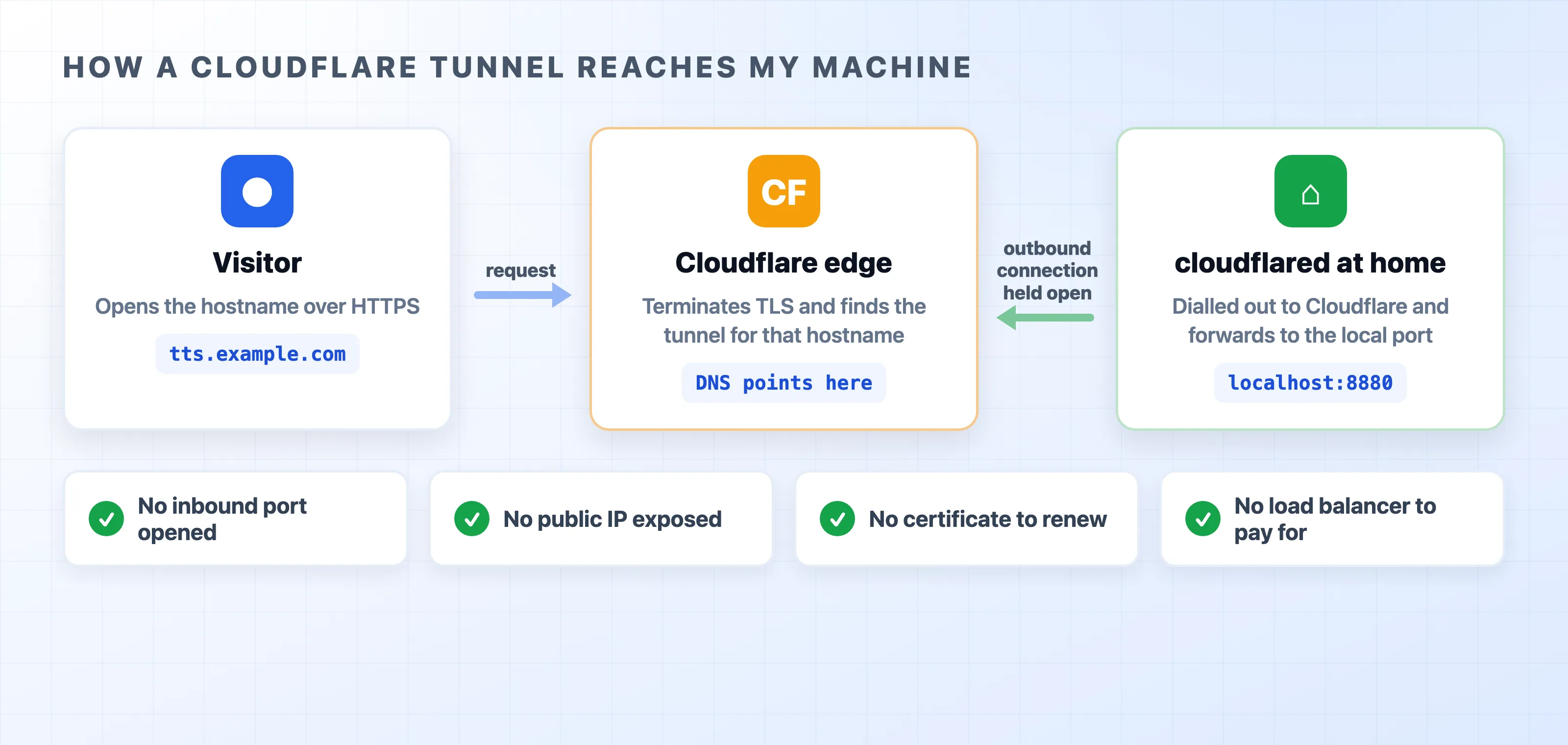
That outward direction is the whole trick. It removes most of what makes self-hosting painful:
- No inbound port. Nothing is forwarded on the router, and no firewall rule is opened. The only connection is the one your machine made.
- No public IP. Your home address never appears in DNS. A dynamic IP or carrier-grade NAT stops mattering because your machine is making the call.
- No certificate to renew. TLS terminates at the edge, and Cloudflare handles that job.
- No load balancer to pay for. The hostname is a DNS record Cloudflare manages for you.
Getting one running takes four commands:
brew install cloudflared
cloudflared tunnel login
cloudflared tunnel create side-projects
cloudflared tunnel route dns side-projects tts.example.com
Then a config file maps hostnames to local ports:
tunnel: side-projects
credentials-file: /Users/tung/.cloudflared/<tunnel-id>.json

ingress:
  - hostname: tts.example.com
    service: http://localhost:8880
  - service: http_status:404
cloudflared tunnel run side-projects starts it, and cloudflared service install keeps it running after a reboot. Kokoro answers on port 8880 and is now on the internet.
For anything you want to keep private, Cloudflare Access puts an email login in front of a hostname. This happens before the request ever reaches your machine. The free plan covers 50 users, giving you an auth layer you do not have to write.
One habit carries over from the AWS days. Deploying now means restarting a process on my own box. The service still has to finish its active requests before it exits. Graceful shutdown matters more when you are the one restarting things, not less.
What AWS still does better
This is a story about finding the right fit. It does not mean AWS is bad at its job.
A managed database with automatic backups, failover, and a real SLA is worth paying for the moment someone else’s data is on the line. My home machine has none of that. If the power drops or my internet goes down, the service goes down with it. No support ticket will help. AWS also gives you autoscaling for traffic spikes, security controls that hold up under audit, and a region map that puts your data exactly where a regulator wants it.
Every one of those is a real requirement for a company. None of them was a requirement for me. The risk that was actually going to kill my projects was the monthly bill, not a few hours of downtime.
What it costs now
The blog is now static files on Pages at $0. The services behind the tunnel run on hardware I already own, so the extra cost is just electricity. Nothing is left running on AWS. The only recurring bill is the domain registration.
Next on the list is moving the quiz app’s speech generation behind the same tunnel. Then the whole pipeline will run on one box. If that holds up, the entire stack will cost less per month than the old Elastic IP did.